Session-aware views
Separate premarket and regular-session measurement windows help keep participation in context.
MSammy brings original market-structure, momentum, participation, and configurable rule-based model outputs into TradingView for self-directed traders who want a more organised analytical view.
Outputs are generated from market data and the charts and settings you choose. They do not use your objectives, financial situation, holdings, experience, tax position, or tolerance for loss, and they do not assess suitability. MSammy does not access a brokerage account, place orders, manage trading, or guarantee results. You remain responsible for every trading decision.
Inside the tools
Two complementary TradingView tools: SIR organises a watchlist; MSD adds context to the chart you choose.
01 / Session Intelligence Radar
Compare measured activity, relative volume, price movement and market state in one ranked table. SIR helps you decide which charts deserve a closer look.
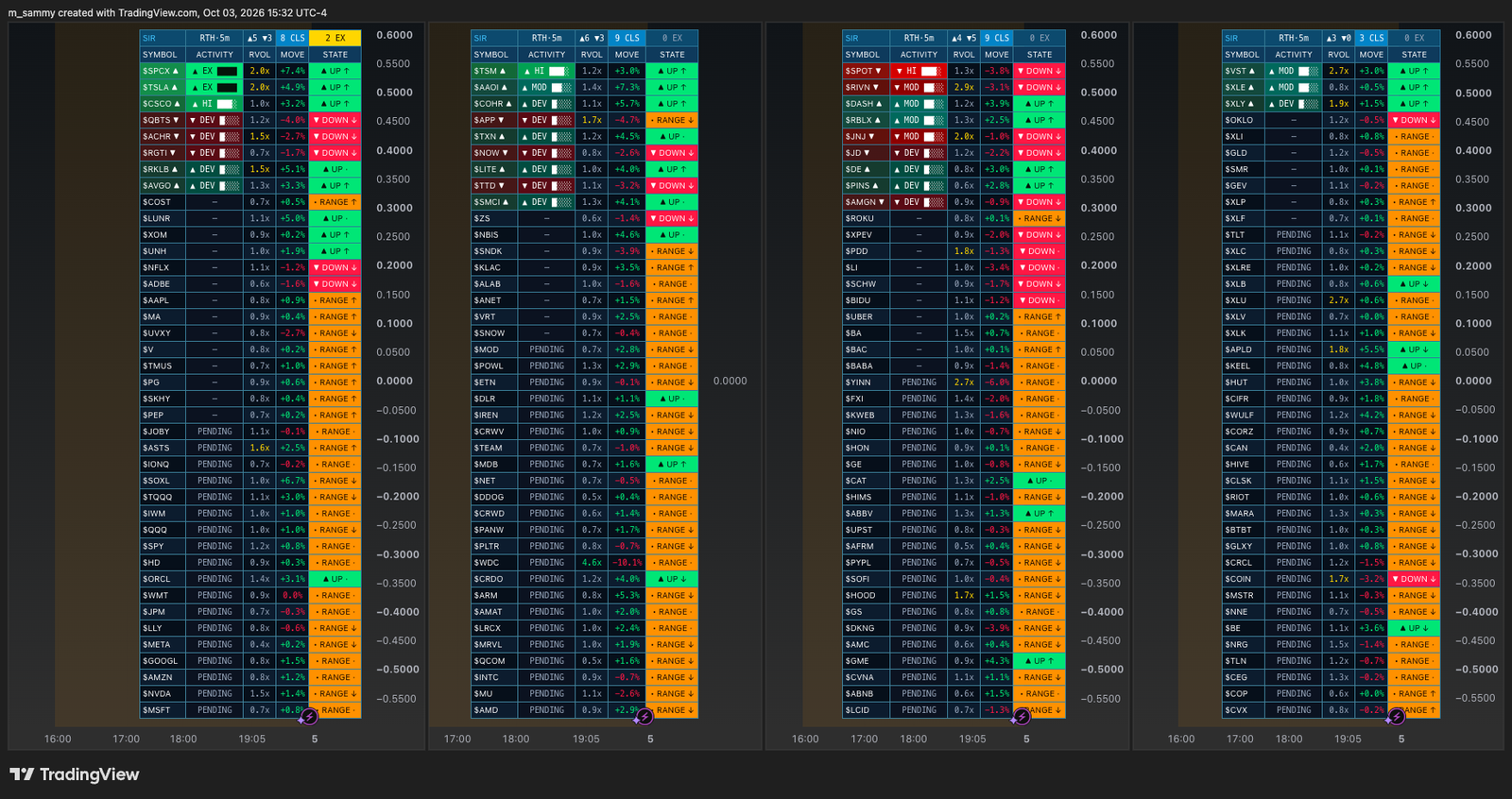
Separate premarket and regular-session measurement windows help keep participation in context.
Choose preset groups or your own symbols. This four-chart workspace is a layout example, not a single-instance capacity promise.
Configure activity-band and direction filters, with state-change and structure notifications in TradingView.
02 / Momentum Structure Dashboard
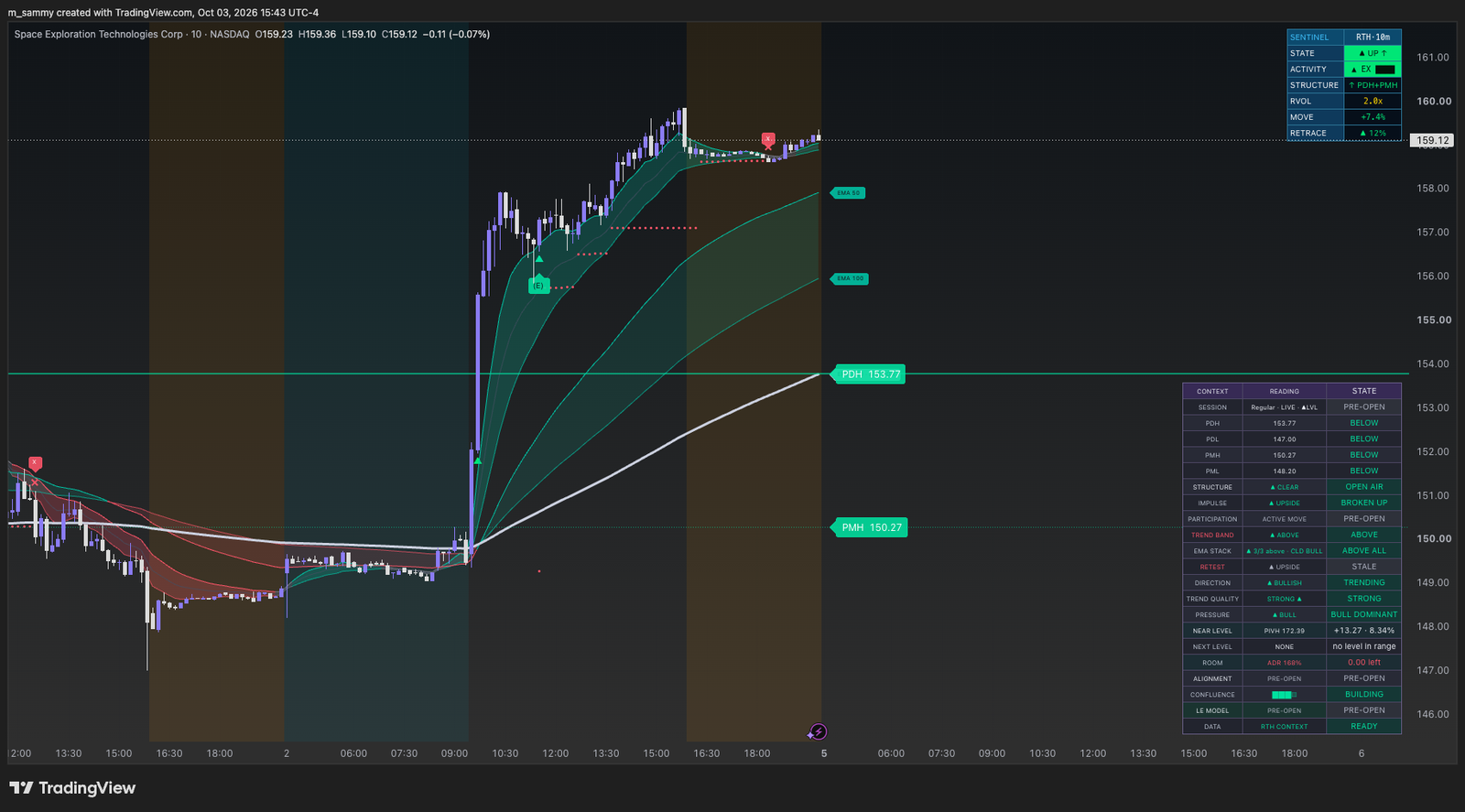
Review market structure, momentum and participation on your selected chart. MSD combines that context with a configurable rule-based LE model.
The LE model is enabled by default and can be configured or disabled. It displays long or short entry markers, a live trailing-stop reference and stop-break exit markers, with user-configured alerts. These are model outputs; the tool does not place orders or size positions.
Further product development
Additional tools built in Pine Script for the founder’s research workflow. These projects are separate from the current MSD and SIR access plans; customer availability has not been announced.
AMD FVG REVERSAL
Tracks liquidity sweeps, a close back through the swept level, and displacement or inversion fair-value-gap confirmation. It then monitors the first return to the confirming gap, with configurable session filters and higher-timeframe gap context.
The model includes entry, stop and target references, cancellation states and alerts. These are rule-based research outputs, not broker orders.
MTF EMA CONFLUENCE ENGINE
Stage-coloured EMA ribbons distinguish Building, Shift, Trend and neutral conditions across a configurable timeframe ladder. A confluence engine combines trigger and supporting timeframes, with daily and weekly context.
Smooth ribbons are visual approximations; stepped mode shows the underlying higher-timeframe EMA values. The build scorecard describes chart-history observations, not an independently validated forecast.
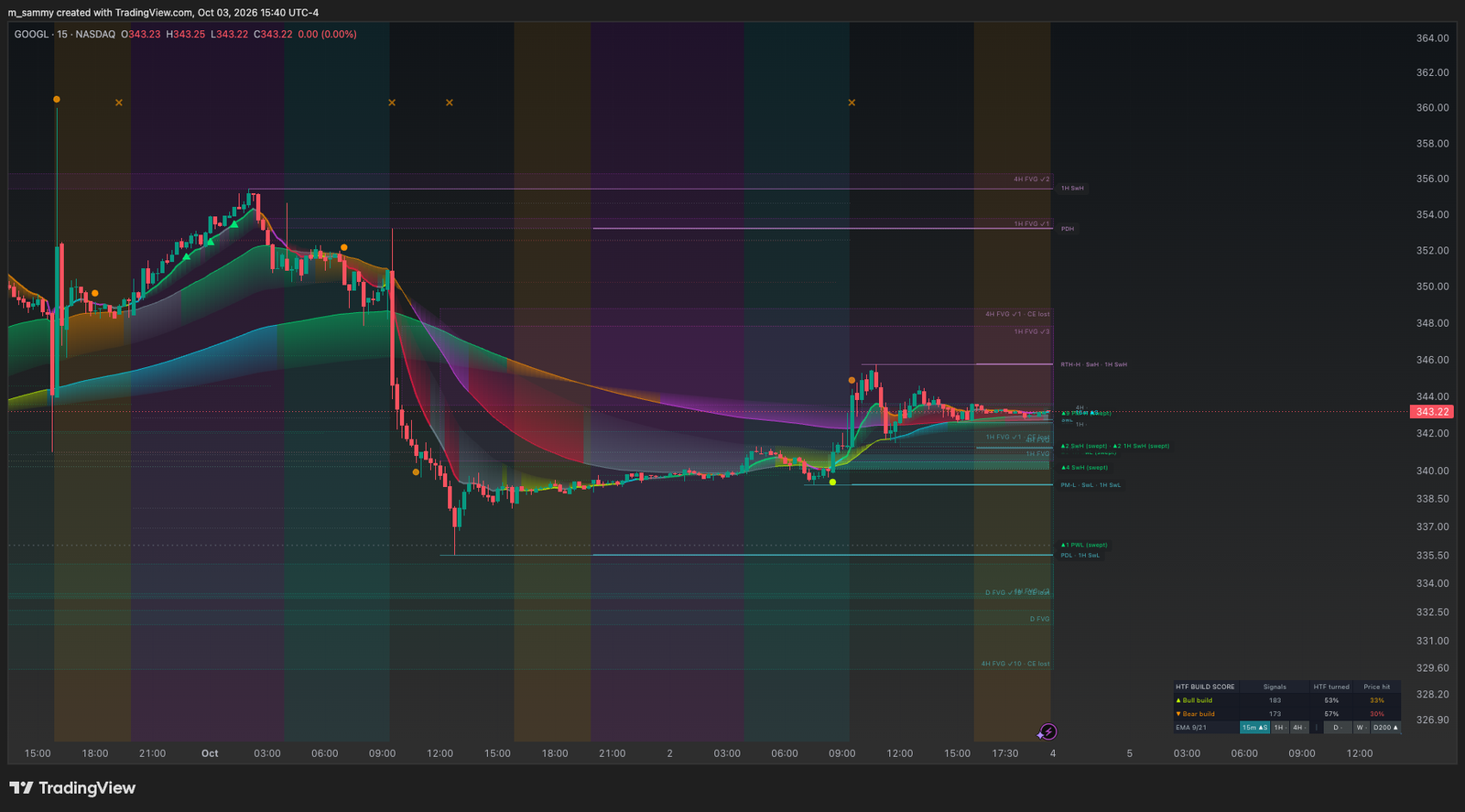
The screenshot demonstrates the interface, not investment results. Outputs depend on data coverage, session settings and TradingView limits. Commercial access remains pre-launch; the final customer release and documentation are still being prepared.
The analytical lens
Each tool contributes model-derived evidence or states. None of them knows what will happen next or whether a trade is suitable for you.
Organise price behaviour into a clearer structural view so you can study context before reacting to short-term noise.
Read changes in directional pressure as one input in your own analysis—not as a buy or sell instruction.
Examine whether participation supports the move you are reviewing, while accepting that no indicator removes uncertainty.
MSD’s rule-based LE model is enabled by default and can be configured or disabled. On the chart you choose, it displays long or short entry markers, a live trailing-stop reference, and stop-break exit markers, and supports user-configured TradingView alerts. It does not place orders or size positions.
Membership support
TradingView
Initial access will be granted manually to the TradingView username you provide after the subscription entitlement is confirmed.
Discord
The community is for product guidance and general education. It is not a room for personalised trade calls, account-specific instructions, or promises about trades.
Customer journey
The launch flow is intentionally simple. Stripe handles payment; Direct Logic handles the initial account checks and invitations.
Read the product, limitations, and risk disclosure.
Select MSD, SIR, or the Suite with monthly or annual USD billing.
Pay through Stripe Checkout once commercial access opens.
Provide your Discord and TradingView usernames.
Join Discord; the member role will be manual first, automated later.
TradingView invite access is granted manually after entitlement is checked.
Use the subscription-management entry point for billing and cancellation.
Clear boundaries
Does not use customer objectives or financial circumstances
No suitability assessment
No brokerage connection or order execution
No managed trading or copy trading
No automated position sizing
No guaranteed performance or outcome
No sharing, resale, or transfer of access
Launch status
The permanent USD plans are available for advance review. Commercial checkout remains closed while launch preparation, product validation, and professional review continue.